
Schedule Instagram posts from Claude, ChatGPT and any AI assistant
SuperProfile's MCP server lets your assistant plan and schedule your Instagram: feed photos, carousels of 2 to 10 photos or videos, Reels (3 seconds to 15 minutes, with an optional cover and share-to-feed) and Stories, published automatically through Meta's official Instagram content publishing API, with your account connected by Instagram login. New products, automations and posts start as drafts you can review first, and different kinds of change need different permissions.
How do I connect it?
Server URL: https:// (remote, OAuth).
- Create a free SuperProfile account, open Schedule and connect your Instagram professional account.
- Add the server to your assistant: Claude, ChatGPT, Cursor, Codex, Gemini or any assistant that supports remote MCP.
- Sign in to SuperProfile when the assistant asks, and approve the scheduling permissions.
- Ask in plain words. The assistant uploads your media, drafts the post and schedules it when you confirm.
What can I ask my assistant?
| Ask, for example | What it does |
|---|---|
| “Schedule this Reel for Friday at 7 pm with my usual caption.” | Uploads the video, drafts the Reel and schedules it |
| “Show me my grid with next week's posts.” | Previews upcoming feed posts above your recent ones |
| “Move all of next week's posts one day later.” | Reschedules them in one request (up to 50) |
| “How did yesterday's carousel do?” | Reads reach, likes, comments, saves, shares and views |
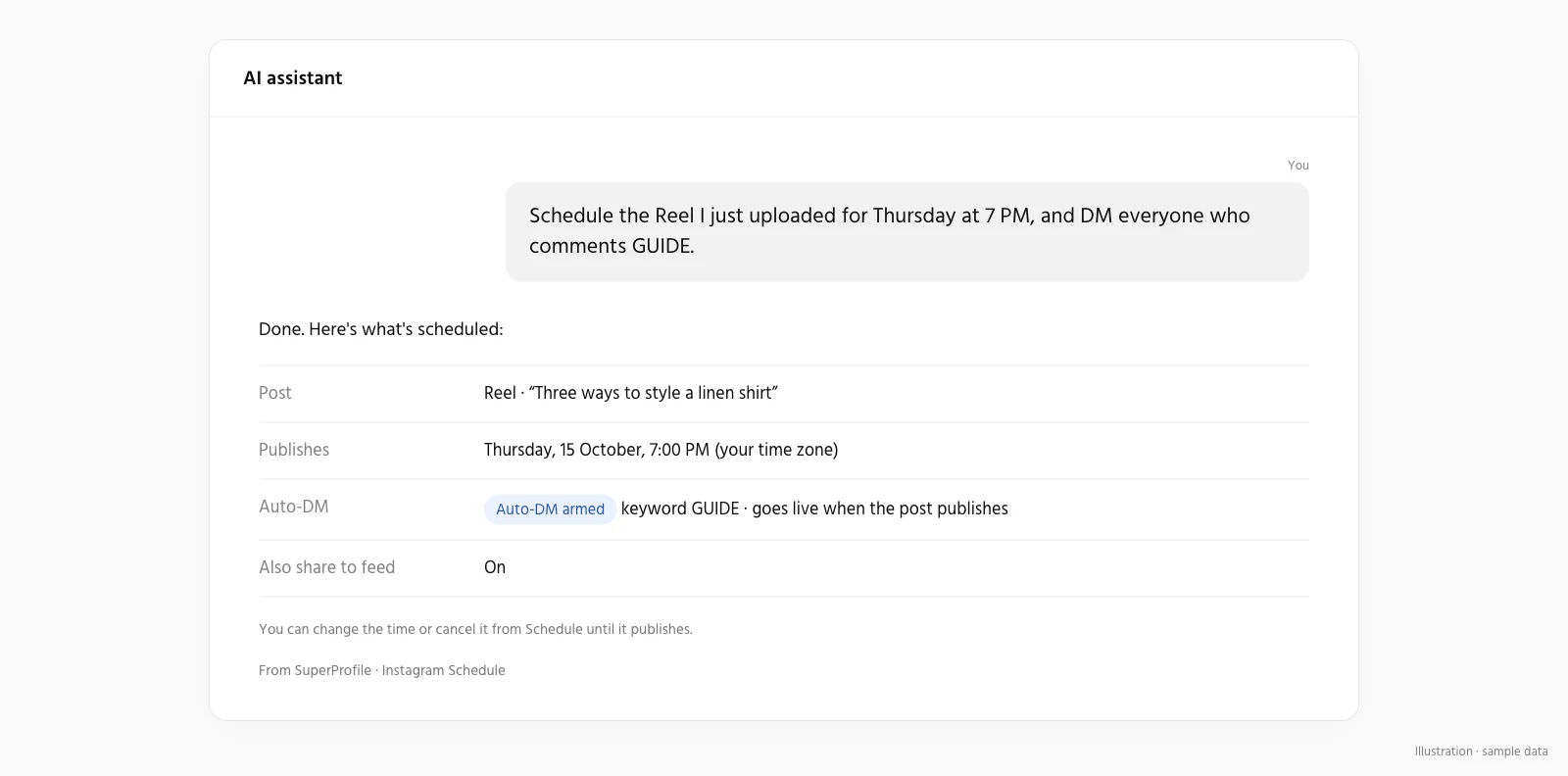
| “When someone comments GUIDE on Friday's Reel, DM them my guide.” | Attaches an Auto-DM that starts when the Reel goes live |
| “Schedule this Reel for Sunday at 6 pm as a trial reel, and share it with my followers if it does well.” | Schedules a trial reel that Instagram shares with your followers if it performs well |
| “Schedule this Story for 9 am tomorrow and DM my free guide to anyone who replies GUIDE.” | Schedules the Story and arms an Auto-DM for private replies that match GUIDE, live once the Story publishes |
| “Write three caption options for Friday's Reel; I'll choose one later.” | Saves the three options on the post; the first is selected until you choose another, and only the selected caption is published |
| “Save this as my product launch caption.” | Stores it in your saved captions |
| “Schedule this PDF to my LinkedIn profile for Tuesday at 9 am.” | Uploads the PDF, drafts a document post and schedules it |
Which tools does it have?
| Tool | What it does |
|---|---|
get_instagram_schedule_context | Start here: your connected accounts, permissions and limits |
list_scheduled_posts | Posts in a date range (up to 62 days) plus drafts |
get_scheduled_post | Read one post |
prepare_scheduled_post | Create or edit a draft or scheduled post, including caption options and Reel options such as a trial reel |
prepare_scheduled_post_media_upload | Get an upload link for a photo, video or (LinkedIn only) PDF |
confirm_scheduled_post_media | Check the upload and add it to the post |
schedule_post | Schedule, move or retry a post |
cancel_scheduled_post | Cancel, or move back to drafts |
duplicate_scheduled_post | Copy a post into a new draft |
reschedule_scheduled_posts | Move up to 50 posts at once |
get_instagram_grid_preview | Preview your profile grid with upcoming posts |
get_scheduled_post_insights | Reach, likes, saves, shares and views of a published post |
list_saved_captions | Your saved captions |
save_caption | Create, update or delete a saved caption |
attach_auto_dm_to_scheduled_post | Attach or remove a comment-to-DM automation |
Can it schedule LinkedIn posts?
Yes, once you have connected LinkedIn in Schedule. Through an AI assistant, these Schedule tools accept LinkedIn: get_instagram_schedule_context (lists your LinkedIn profile), list_scheduled_posts, get_scheduled_post, prepare_scheduled_post, prepare_scheduled_post_media_upload, confirm_scheduled_post_media, schedule_post, cancel_scheduled_post, duplicate_scheduled_post, reschedule_scheduled_posts and get_instagram_grid_preview (published posts shown are only those SuperProfile published in the last 30 days); get_scheduled_post_insights and attach_auto_dm_to_scheduled_post do not work for LinkedIn, and the assistant cannot connect LinkedIn: you do that in Schedule.
- Post text up to 3,000 characters (LinkedIn's limit)
- Photos in JPG, PNG or GIF up to 30 MB each (SuperProfile limit), with alt text; SuperProfile uploads without cropping and LinkedIn controls how images appear
- Video as MP4 up to 500 MB, from 3 seconds to 15 minutes (SuperProfile limits)
- PDF documents up to 100 MB and 300 pages; the file name becomes the title shown on LinkedIn
- Schedule from 2 minutes ahead for text, 5 minutes for photos, multi-image posts and documents, and 15 minutes for video, up to 90 days ahead (SuperProfile limits)
- If a post can't be published, SuperProfile stops trying two hours after its time and marks it failed; you can retry it
- LinkedIn's own image limits: under 36,152,320 pixels, and GIFs of up to 250 frames
Scheduling LinkedIn posts is part of the paid Schedule, the same as Instagram and Facebook Page scheduling: creating, changing and scheduling posts needs a paid plan; viewing and cancelling stay open, and connecting LinkedIn is not plan-gated. See the Instagram scheduler page for what LinkedIn scheduling does and does not include.
Things to know
From 2 minutes ahead (15 minutes for posts with video) up to 90 days ahead, in the time zone you choose. Meta allows an Instagram account up to 100 posts through its publishing API in 24 hours, and SuperProfile checks that limit before each post. An AI assistant can schedule a trial reel through the MCP server by setting reel.trial to MANUAL or SS_PERFORMANCE on prepare_scheduled_post (Reels only). An AI assistant can draft caption options through the MCP server by sending captionOptions (2 to 10, the whole list) and selectedCaptionId on prepare_scheduled_post; only the selected option is published. An assistant connected through the SuperProfile MCP server can attach the Story Auto-DM with attach_auto_dm_to_scheduled_post; it answers private Story replies that match your keyword (or any reply), and public comment replies aren't available for a Story. Instagram allows trial reels only on public professional accounts with at least 200 followers that can appear in recommendations; otherwise SuperProfile marks the post as failed with its own TRIAL_NOT_ELIGIBLE reason, and nothing is reposted as a normal Reel unless the creator chooses to (see Instagram trial reels). Insights are read live from Instagram for published posts. See the Instagram scheduler for everything the scheduler does.
Can an assistant change my store without asking?
Only within the permissions you grant. New products and automations start as drafts you can review first, but saving an edit to something already live applies as soon as it is saved: a live product edit needs the publish permission, while an active Auto-DM automation can be changed with the "Save drafts, edit and pause automations" permission alone. Grant that Auto-DM permission carefully: it also lets an assistant change or pause an automation that is already on. Draft/edit, publication, deletion, customer information and email activation are separate permissions, and you choose them when you connect. Buyer checkout, access and downloads stay in the existing SuperProfile flows; nothing is sold inside the chat. You can manage or revoke access any time in Connected agents in your SuperProfile dashboard.
Frequently asked questions
Does SuperProfile have its own MCP server?
Yes. SuperProfile builds and runs its own remote MCP server; no Zapier or other third party is involved. In Claude, add SuperProfile from the connector directory; in other assistants, add https:// as a remote MCP server.
Can it publish or delete without my approval?
Only if you granted that permission. Draft/edit, publication, deletion, customer information and email activation are separate permissions. New products and automations start as drafts, but saving an edit to something already live applies as soon as it is saved: a live product edit needs the publish permission, while an active Auto-DM automation can be changed with the "Save drafts, edit and pause automations" permission alone. Another exception: saving the Instagram DM menu, ice breakers or Story mention reply needs the publish permission, because a feature that is on goes live on Instagram when saved, so review the wording and the on/off state before you approve.
Instagram scheduling on SuperProfile
- Instagram scheduler: features
- How to schedule Instagram posts, Reels and Stories
- Instagram trial reels: eligibility, how to post and schedule
- Facebook Page scheduler: posts, Reels and Stories
- LinkedIn post scheduler: text, images, video and PDFs
- Instagram schedulers compared: Later, Buffer, Meta Business Suite
- Instagram Reel size, aspect ratio and cover size
- How to post on Instagram from a PC or Mac
- Instagram Creator Studio and Meta Business Suite
- Instagram DM automation guide
- Instagram and Messenger Auto-DM
SuperProfile MCP server pages
- Overview: what the SuperProfile MCP server is
- Connect SuperProfile to Claude
- Connect SuperProfile to ChatGPT
- Connect SuperProfile to Claude Code
- Connect SuperProfile to OpenAI Codex
- Connect SuperProfile to Cursor
- Connect SuperProfile to Gemini
- Connect SuperProfile to Perplexity
- Connect SuperProfile to Windsurf
- Connect SuperProfile to VS Code (GitHub Copilot)
- Connect SuperProfile to Notion
- Connect SuperProfile to Muse by Meta
- Sell digital products with an AI assistant
- Automate Instagram and Messenger DMs with an AI assistant
- All SuperProfile MCP tools, by product
- Developer reference: endpoint, OAuth, permissions, errors
- Frequently asked questions
Last updated .