
Instagram Reel size: dimensions, aspect ratio and cover size
Make Instagram Reels 1080 x 1920 pixels, a 9:16 vertical video that fills the phone screen. Instagram accepts Reels from 1.91:1 to 9:16, with at least 720 pixels of resolution and 30 frames per second, and the cover photo should be 420 x 654 pixels.
What size should an Instagram Reel be?
Export your Reel at 1080 x 1920 pixels. That size is our recommendation rather than an Instagram rule: it is the 9:16 ratio at Instagram's usual width of 1080 pixels, and it fills a phone screen from top to bottom. The middle column is what Instagram's Help Center states (read 14 October 2026):
| Setting | Instagram's stated rule | Our recommendation |
|---|---|---|
| Aspect ratio | Between 1.91:1 and 9:16 | 9:16 (vertical) |
| Resolution | Minimum resolution of 720 pixels | 1080 x 1920 |
| Frame rate | At least 30 frames per second | 30 fps |
| Cover photo | 420 x 654 pixels recommended (1:1.55) | 420 x 654, or a still from the video |
| Length | Up to 20 minutes | Under 3 minutes if you want reach (see below) |
How long can a Reel be, and does length matter?
Instagram lets you record or upload Reels of up to 20 minutes, made of one clip or several. Its Help Center adds one important note: Reels over 3 minutes won't be recommended to new audiences. Your followers can still see a long Reel, but if you want it to reach people who don't follow you yet, keep it to 3 minutes or less.
What size is the Reel cover photo?
Instagram recommends a cover photo of 420 x 654 pixels, a 1:1.55 ratio. You can choose a frame from the video or upload your own image. Instagram's Help Center says that right now you can't edit the cover photo after the Reel is uploaded, so choose it before you share.
Your profile grid shows a cropped version of each Reel, so keep the title text and your face in the middle of the cover, not at the top or bottom edge.
Where should text go so the app doesn't cover it?
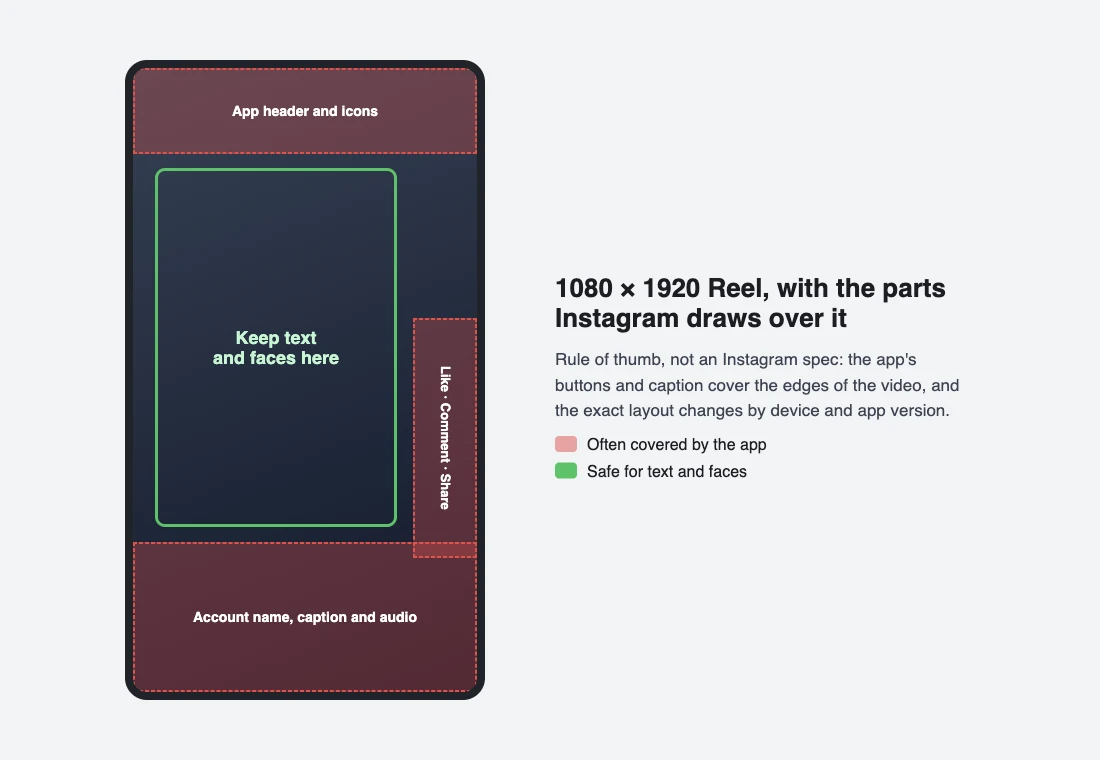
Instagram draws its own buttons and text over your video: the like, comment and share buttons on the right, and your name, caption and audio at the bottom. Keep captions, prices and faces in the middle of the frame. This is a rule of thumb rather than an Instagram spec, because the layout changes with the device and app version, so preview the Reel on your phone before you post.
What sizes do Instagram feed photos and carousels use?
For the full feed, carousel and Story breakdown, see our Instagram post size guide.
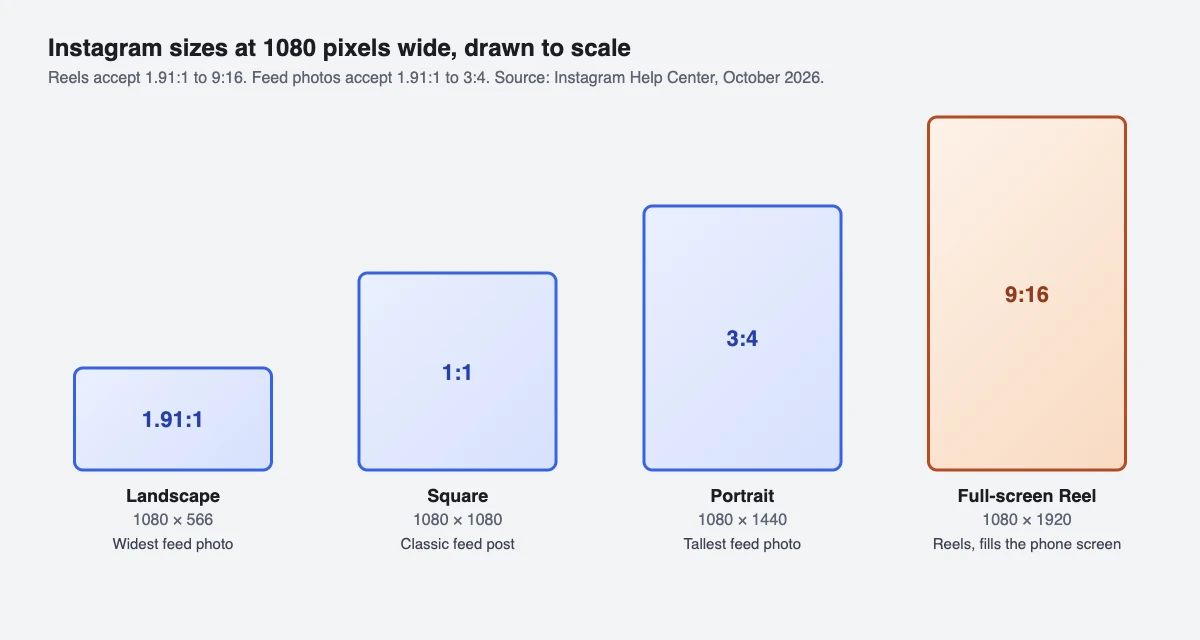
Feed photos are 1080 pixels wide. Instagram keeps feed photos between 1.91:1 and 3:4 (1080 x 566 to 1080 x 1440 pixels) and crops anything outside that range. Instagram enlarges a photo narrower than 320 pixels to 320 pixels wide and reduces a wider one to 1080 pixels wide.
| Format | Ratio | Pixels |
|---|---|---|
| Reel | 9:16 | 1080 x 1920 |
| Portrait photo | 3:4 | 1080 x 1440 |
| Square photo | 1:1 | 1080 x 1080 |
| Landscape photo | 1.91:1 | 1080 x 566 |
| Reel cover | 1:1.55 | 420 x 654 |
In a carousel of up to 20 photos and videos, the orientation you pick (square, portrait or landscape) applies to every item, so crop them all to the same ratio before you upload. Videos inside a carousel are not counted as Reels and don't appear in the Reels tab.
Tools that publish through Meta's Instagram API, including SuperProfile, work within that API's limits: feed photos from 4:5 to 1.91:1, carousels of up to 10 items, and Reels from 3 seconds to 15 minutes (Meta's developer documentation, October 2026).
Why does my Reel look blurry or cropped after uploading?
- Upload quality is off. On the app, go to your profile, tap the menu, then under Your app and media tap Media quality and turn on Upload at highest quality. Higher quality takes longer to upload.
- The source is too small. Below 720 pixels the Reel falls under Instagram's minimum. Export at 1080 x 1920.
- Wrong ratio. A 16:9 landscape video stays inside the frame with empty space around it. Edit it to 9:16 if you want it to fill the screen.
- Low frame rate. Export at 30 frames per second or more.
Can I schedule Reels in the right size from a computer?
Yes. Instagram's app schedules from your phone, and Meta Business Suite schedules from a computer.
We build SuperProfile, so weigh this paragraph accordingly. SuperProfile Schedule schedules Instagram posts, carousels, Reels and Stories from any browser, up to 90 days ahead, in the same calendar as your Facebook Page and LinkedIn posts, and attempts to publish each one through Meta's official API. Scheduling needs a paid plan; you can create a free account first and upgrade when you need it.
You can also schedule a Reel as a trial reel, which Instagram shows to people who don't follow you first.
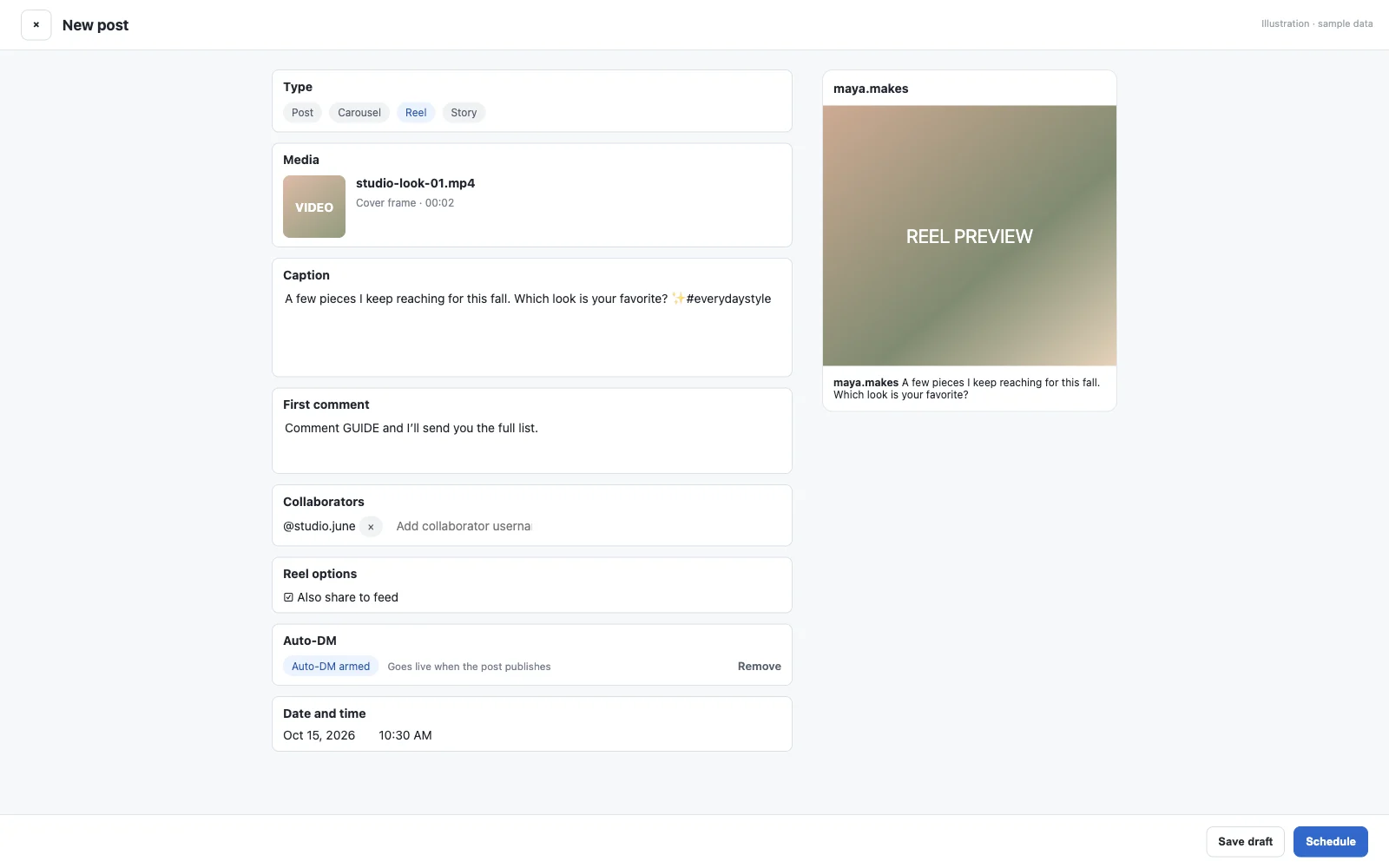
To send your link to people who comment on a scheduled post, attach an Instagram auto DM to it.
Frequently asked questions
What is the size of an Instagram Reel in pixels?
1080 x 1920 pixels, a 9:16 vertical ratio. Instagram accepts ratios from 1.91:1 to 9:16 with a minimum resolution of 720 pixels.
What is the Instagram Reel cover size?
Instagram recommends 420 x 654 pixels, a 1:1.55 ratio. Choose it before you share, because Instagram says you can't edit it after uploading.
What is the best aspect ratio for Instagram Reels?
9:16. It fills a phone screen; wider videos are shown inside the frame with empty space around them.
How long can an Instagram Reel be?
Up to 20 minutes. Reels over 3 minutes won't be recommended to people who don't follow you.
What frame rate should a Reel be?
At least 30 frames per second, according to Instagram's Help Center.
Is 4:5 still the portrait size for feed photos?
Instagram now keeps portrait photos up to 3:4 (1080 x 1440 pixels), and 4:5 (1080 x 1350) is still accepted. If you schedule through a tool that uses Meta's publishing API, crop to 4:5, because the API accepts 4:5 to 1.91:1.
Is a trial reel the same size as a normal Reel?
Yes. A trial reel is a Reel that Instagram shows to people who don't follow you first, so export it at 1080 x 1920 pixels (9:16) like any other Reel.
More guides
Last updated .