
Instagram Creator Studio: what replaced it, and how to post and schedule now
Is Instagram Creator Studio shut down? Yes: Meta retired the Creator Studio desktop dashboard in 2023 and moved its tools into Meta Business Suite, where you now post, schedule, read insights and answer messages for Instagram and Facebook. The new app called Creator Studio is a different product, an AI companion app for Facebook creators on iPhone in the US and Canada.
What happened to Instagram Creator Studio?
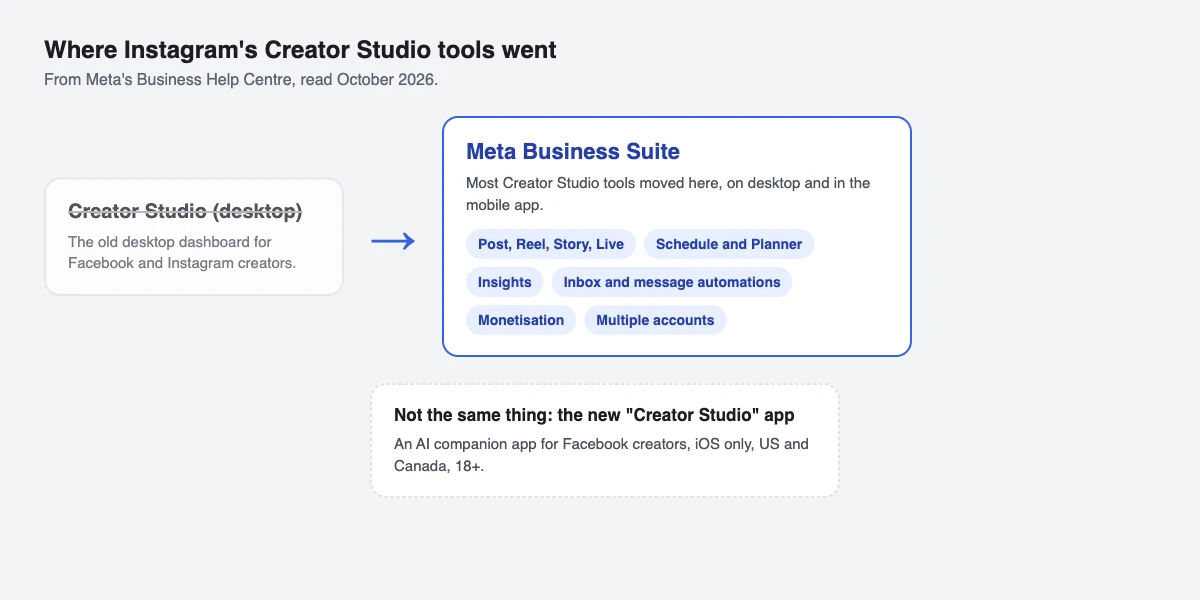
Meta moved most of the tools from the old Creator Studio dashboard into Meta Business Suite, so creators manage organic posts and business tools in one place. According to Meta's Business Help Centre (read October 2026), creators can use Meta Business Suite to:
- Create, edit and publish posts, videos, Reels and Stories, and go live, on Facebook Pages and Instagram accounts.
- See insights for each post and for the account, and compare Facebook and Instagram side by side.
- Set up monetisation, see earnings and manage payouts, where Meta's monetisation tools are available in your country.
- Answer comments and messages in one inbox and set up message automations.
- Manage several Facebook Pages and Instagram accounts.
Is the new Creator Studio app the same thing?
No. In 2026 Meta uses the name Creator Studio for an AI-powered companion app for Facebook creators. It shows how your recent content is doing, suggests next steps, highlights comments to reply to and drafts replies for you to approve. Meta's Help Centre lists who can use it: you must be on an iOS device, be 18 or older, live in the US or Canada, and have a Facebook Page or professional mode turned on. Creators in India can't use it yet, and it doesn't replace Meta Business Suite for Instagram.
How do I open Meta Business Suite with my Instagram account?
You need an Instagram professional account (business or creator). Then:
- Go to business.facebook.com on a computer, or open the Meta Business Suite app.
- Log in with your Instagram username and password. Meta's guide covers Instagram accounts that aren't connected to a Facebook Page, so you don't need a Page to start.
- If it keeps asking you to link a Facebook Page, sign out of Facebook in that browser or open Meta Business Suite in a private window, then log in with Instagram again.
- If you also run a Facebook Page, connect it to the Instagram account so both appear as one profile and you can post to both at once.
These steps follow Meta's guide to connecting Instagram.
How do I schedule an Instagram post or Reel in Meta Business Suite?
- Open Meta Business Suite and go to Content, then Create post (or Create reel or Create story from the home screen).
- Choose where to post. If your Page and Instagram account are connected, both are selected; untick one to post to only Instagram.
- Add your media and caption, and check the preview on the right.
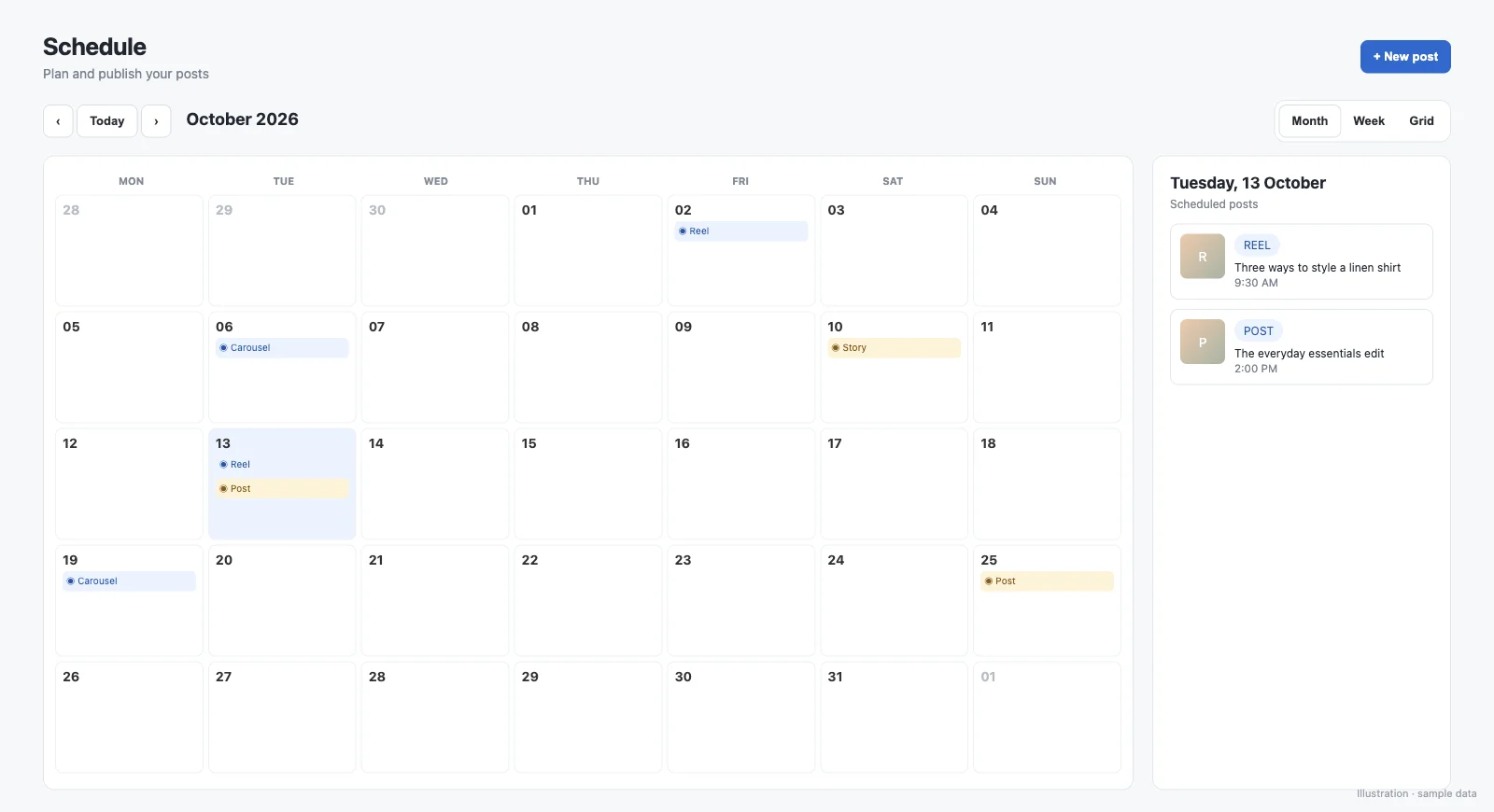
- Turn on Scheduling options, pick a date and time, or click Active times to see when your audience is online.
- Click Schedule. Scheduled posts appear in the Planner and under Content, Posts & reels, Scheduled.
To change the time later, open the post in Scheduled or in the Planner, click Options, then Reschedule post. Click Finish later instead of Schedule to keep a draft. Steps from Meta's scheduling guide.
Can I schedule in the Instagram app instead?
Yes, if your account is public. Instagram's Help Center says you can schedule Reels, photos and carousels up to 30 days ahead by default, and up to 25 posts a day: tap Create, add your media and caption, tap More options, turn on Schedule this post, choose the time and tap Schedule. Product tags, collab posts, sponsored posts and fundraisers can't be scheduled this way. Find your queue under your profile menu, Scheduled content.
Which way of scheduling fits you?
Meta's own tools are enough for most creators who only need to post on time. The table compares them with SuperProfile Schedule, which we build.
| Instagram app | Meta Business Suite | SuperProfile Schedule | |
|---|---|---|---|
| Where | Phone | Computer or phone | Any browser |
| How far ahead | Up to 30 days by default | Not stated in the Meta help articles we read | Up to 90 days |
| Price | Built into Instagram | No price listed by Meta for posting and scheduling; ads are paid | Paid plans (free account to start) |
| Platforms | Instagram and Facebook Pages | Instagram, Facebook Pages and LinkedIn in one calendar | |
| Auto DM attached to the scheduled post | No | No (message automations are set up separately) | Yes, for photos, carousels and Reels |
We build SuperProfile, so weigh this paragraph accordingly. SuperProfile Schedule schedules Instagram posts, carousels, Reels and Stories from any browser, up to 90 days ahead, in the same calendar as your Facebook Page and LinkedIn posts, and attempts to publish each one through Meta's official API. Scheduling needs a paid plan; you can create a free account first and upgrade when you need it.
To send your link to people who comment on a scheduled post, attach an Instagram auto DM to it.
Frequently asked questions
Is Instagram Creator Studio still available?
No. Meta retired the Creator Studio desktop dashboard in 2023 and moved its tools to Meta Business Suite. A new app called Creator Studio exists, but it is for Facebook creators on iPhone in the US and Canada.
What replaced Creator Studio for Instagram?
Meta Business Suite, on desktop at business.facebook.com and as a mobile app. You can post, schedule, read insights and answer messages there.
Can I log in to Meta Business Suite without a Facebook Page?
Yes. Meta's guide says to log in with your Instagram professional account's username and password when the account isn't connected to a Facebook Page.
Can I schedule Instagram Stories from a computer?
Yes. Meta Business Suite can schedule Stories as well as posts, and SuperProfile Schedule also schedules Stories from a browser.
More guides
Last updated .