
How to post on Instagram from a PC or Mac
Open instagram.com in any browser on your computer, click Create in the left-hand menu, click Post, then Select from computer, choose your photos or video, add a caption and click Share. You can post photos, carousels and Reels this way; for Stories and scheduling from a computer, use Meta Business Suite or a scheduler.
How do I post a photo on Instagram from my computer?
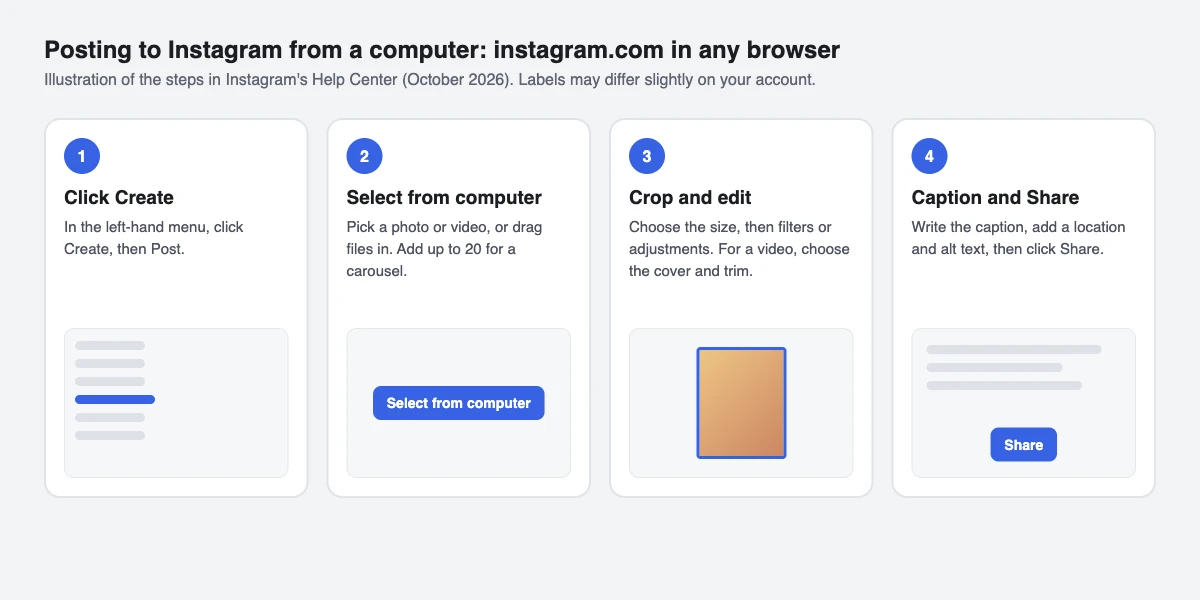
- Go to instagram.com in Chrome, Edge, Safari or Firefox and log in.
- Click Create in the left-hand menu, then Post.
- Click Select from computer and choose a photo, or drag the file into the window. Instagram accepts JPG, PNG and HEIC/HEIF files.
- Choose the size (original, square, portrait or landscape) and click Next.
- Click Filters or Adjustments to edit the photo, then click Next.
- Write your caption and add a location. Click Accessibility to write alt text, and Advanced settings if you want to turn off comments.
- Click Share.
Steps from Instagram's Help Center (computer instructions, read 14 October 2026).
How do I post a carousel from a PC?
Follow the same steps, and after Select from computer click the multiple-files icon to add more. A carousel holds up to 20 photos and videos. Drag each one to adjust its crop, drag to reorder, and click Next.
The orientation you choose (square, portrait or landscape) applies to every item in the carousel, so crop them to the same shape before you start. You can add a filter to all items or edit each one, but there is one caption and one location for the whole post. After sharing, you can reorder or remove items and edit the caption, but you can't add new photos to it. Steps from Instagram's carousel guide.
Tools that publish through Meta's Instagram API, including SuperProfile, work within that API's limits: feed photos from 4:5 to 1.91:1, carousels of up to 10 items, and Reels from 3 seconds to 15 minutes (Meta's developer documentation, October 2026).
Can I upload a Reel from my laptop?
- On instagram.com, click Create, then Post.
- Click Select from computer and choose your video.
- Click Next. Use the Cover photo slider to pick a frame, or click Select from computer to upload a cover, and use Trim to cut the start or end.
- Click Next, write the caption, add a location, tag people or add alt text.
- Click Share.
Reels can be up to 20 minutes, but Instagram doesn't recommend Reels over 3 minutes to new audiences. Export your video at 1080 x 1920 (9:16) so it fills the screen; see the full Instagram Reel size guide. Steps from Instagram's Help Center.
Can I post an Instagram Story from a PC?
Instagram's Help Center gives Story steps for the phone app only. From a computer, you have two routes that use Meta's own login:
- Meta Business Suite (business.facebook.com): click Create story on the home screen, add your photo or video and publish. It works with Instagram professional accounts, and you can post the same Story to your Facebook Page.
- A scheduler that publishes through Meta's API, such as SuperProfile Schedule (we build it), which can schedule Stories as well as posts and Reels.
Avoid browser extensions that ask for your Instagram password to post on your behalf. Meta Business Suite and API-based schedulers connect through Meta's own login.
How do I schedule Instagram posts from a computer?
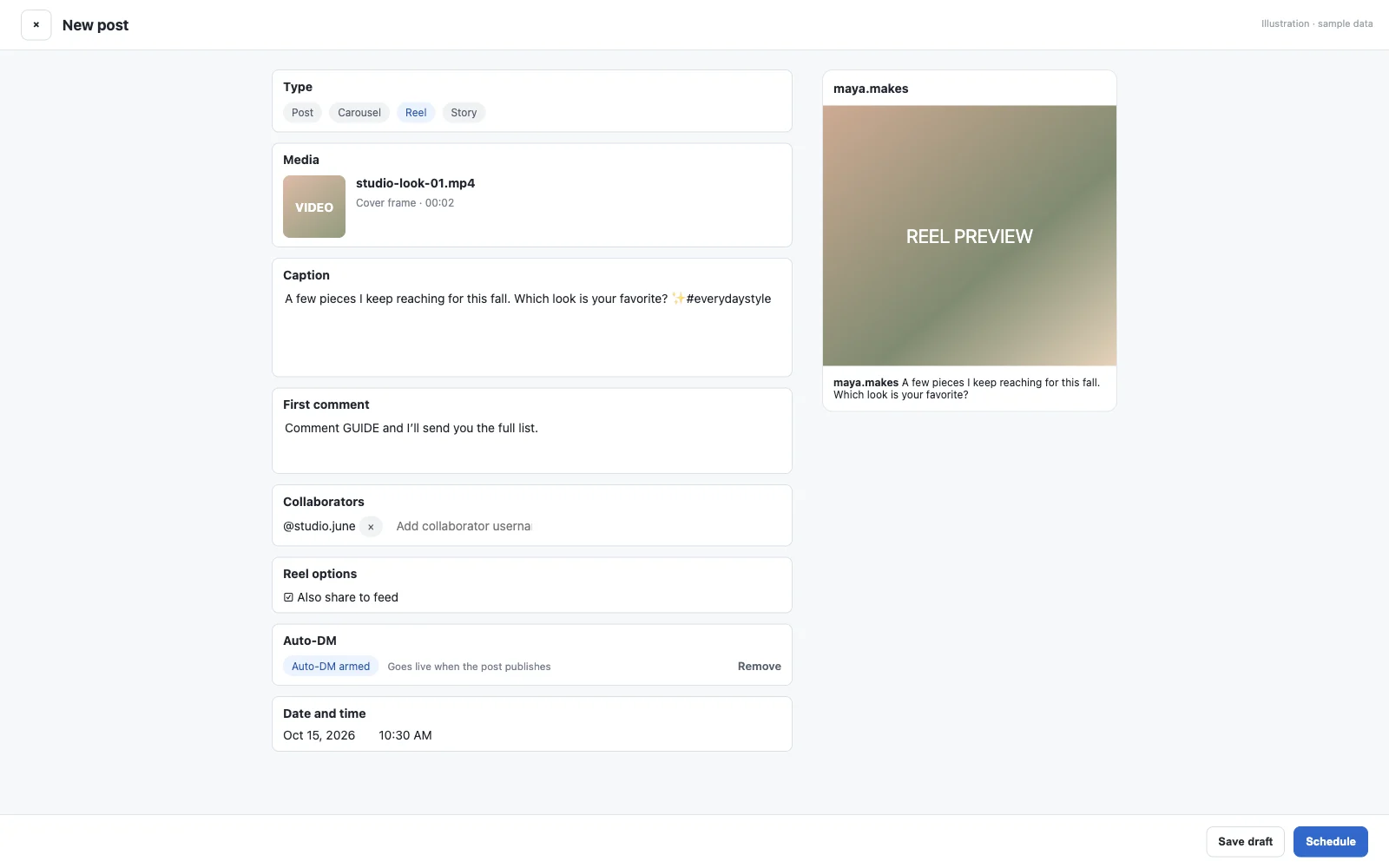
Instagram's built-in scheduling is in the phone app: public accounts can schedule up to 30 days ahead by default, and up to 25 posts a day. From a computer, use Meta Business Suite: Content, Create post, turn on Scheduling options, pick a date and time, click Schedule. Our Meta Business Suite and Creator Studio guide has the full steps.
We build SuperProfile, so weigh this paragraph accordingly. SuperProfile Schedule schedules Instagram posts, carousels, Reels and Stories from any browser, up to 90 days ahead, in the same calendar as your Facebook Page and LinkedIn posts, and attempts to publish each one through Meta's official API. Scheduling needs a paid plan; you can create a free account first and upgrade when you need it.
You can also schedule a Reel as a trial reel, which Instagram shows to people who don't follow you first.
To send your link to people who comment on a scheduled post, attach an Instagram auto DM to it.
Why can't I post from my computer?
- No Create button or no Reels: update your browser, log out and back in, or try another browser. Instagram says some features, including Reels, aren't available to every account yet.
- The file won't upload: photos must be JPG, PNG or HEIC/HEIF. Posts with several videos take longer to upload, so use a reliable connection.
- Photos look cropped: Instagram keeps feed photos between 1.91:1 and 3:4 (1080 x 566 to 1080 x 1440 pixels) and crops anything outside that range.
- A carousel crops some photos: every item uses the same orientation; crop them to one shape before uploading.
Frequently asked questions
Can you post on Instagram from a PC?
Yes. Go to instagram.com in any browser, click Create, then Post, choose files with Select from computer, add a caption and click Share.
Can I post a Reel from my computer?
Yes. Upload the video through Create, then Post on instagram.com; you can pick a cover frame and trim the clip before sharing.
How many photos can I post at once from a PC?
Up to 20 photos and videos in one carousel post.
Can I post Instagram Stories from a laptop?
Instagram's Help Center only gives Story steps for the phone app. From a laptop, use Meta Business Suite's Create story option or a scheduler that publishes through Meta's API.
Do I need an app to post from a Mac?
No. instagram.com works in Safari or Chrome on a Mac, and Meta Business Suite works in the browser too.
More guides
Last updated .