
Instagram Auto-DM use cases
What creators automate with SuperProfile Auto-DM on Instagram and Facebook Messenger, each as a recipe: what triggers it, what the DM does, and what happens next.
Instagram comment automation: send a DM when someone comments
Ask followers to comment a keyword on your Reel or post, and SuperProfile sends them a DM with your link. How to set it up.
- Trigger
- A comment with your keyword (or any comment) on a specific post, your next post, or any post
- The DM
- A message with text, buttons, images, video, audio, PDFs or cards, and a button to your link
- Then
- Optional public comment reply (up to three rotating public comment replies)
Grow followers with a follow request in the DM
Turn comments into followers: the DM asks people to follow you before it sends the link they asked for. How to set it up.
- Trigger
- A keyword comment on a Reel or post
- The DM
- Ask people to follow you before the DM with the link is sent
- Then
- The link arrives after they follow and tap to continue
Collect emails from Instagram comments and DMs
Ask for an email address inside the DM and send it straight to your email list. How to set it up.
- Trigger
- A keyword comment, a Story reply or a DM
- The DM
- Collect an email address inside the DM and send it to Kit, Mailchimp or Klaviyo, with tags
- Then
- Your email tool takes over: welcome sequence, newsletter or launch list
Sell your products from Instagram DMs
Send people who comment straight to your SuperProfile product page, and follow up if they have not bought. How to set it up.
- Trigger
- A keyword comment, Story reply, Live comment or DM
- The DM
- Buttons can open one of your published SuperProfile products (payment pages, courses, webinars, 1:1 sessions, Telegram communities, locked content, lead magnets), your store or your referral link
- Then
- Follow-ups can run when the product was or was not bought, when the link was not clicked, or when there is no reply
Automate Facebook Messenger replies
Send a Messenger DM when someone comments on your Facebook Page posts, messages your Page, or opens your m.me link or QR code. How to set it up.
- Trigger
- Comments on any or a specific Facebook Page post, incoming Messenger DMs, and m.me links or QR codes
- The DM
- Text, buttons, images, video, PDFs and cards
- Then
- Follow-ups after a delay
Moderate comments and sort brand deals
Comment moderation hides or deletes spam, links and abuse on your posts and Reels, and Brand Collab sorts brand collaboration DMs so paid offers are never missed.
Add a DM menu, ice breakers and Story mention replies
Keep a persistent menu and ice breakers in your Instagram chat, each with automated replies, and thank fans automatically when they mention you in their Story.
Reply even without the exact keyword
Turn on intent matching and comments that mean your keyword, with typos, Hinglish or other languages, get the DM when the AI is confident. Auto DM without a keyword.
Reply to Story replies and Live comments
The same automations can trigger on replies to your Stories and comments during an Instagram Live, so people who react get the link without you typing.
Can an AI assistant set these up?
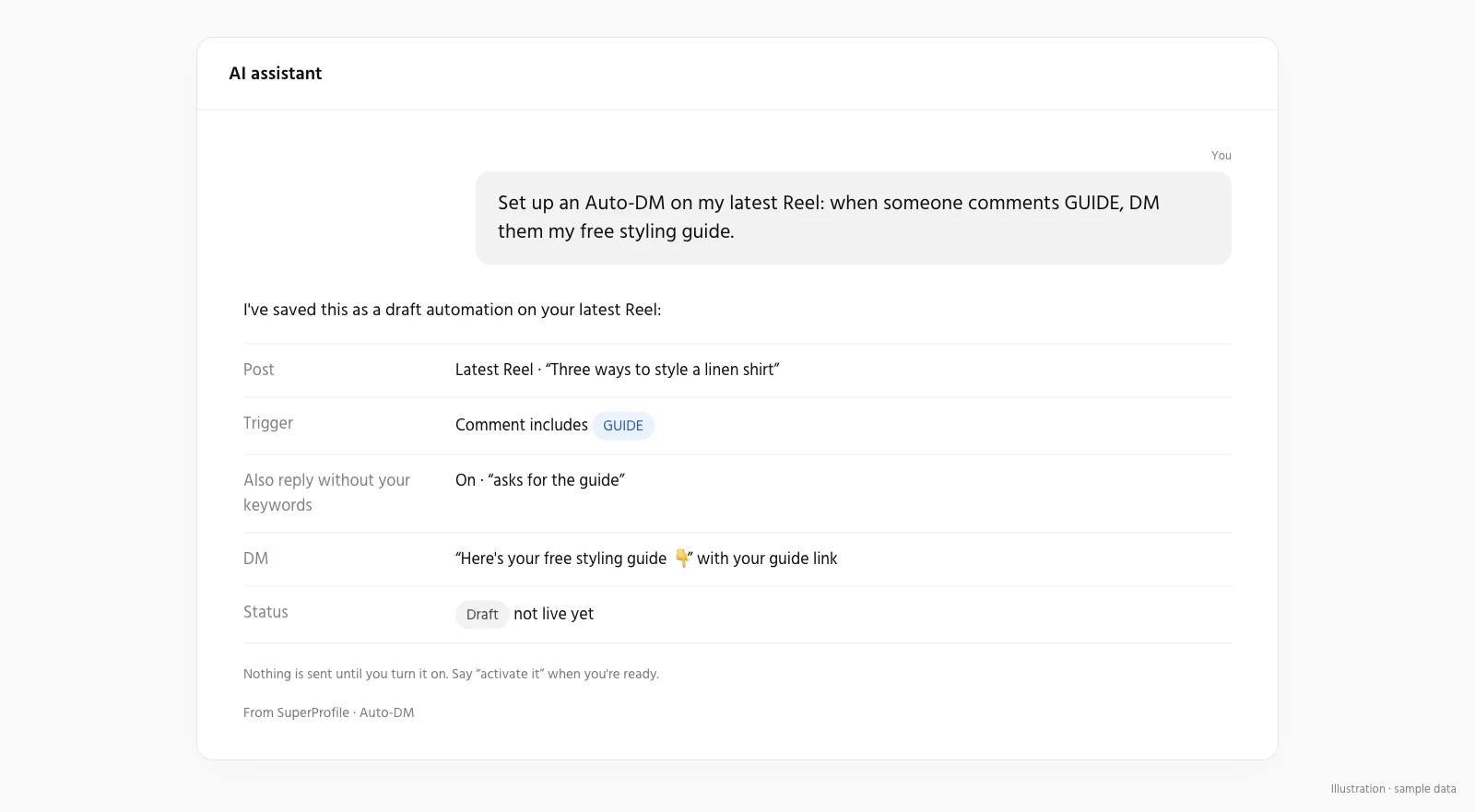
Yes. Set up Auto-DM from Claude, ChatGPT, Gemini or any MCP assistant.
Send another message when someone taps
A Send a DM button sends another message only after the person taps it, for example a second freebie or a booking link.
Things to know
Meta's messaging windows and rules apply to all messages; follow-ups run within 23 hours of the person's message, inside Meta's messaging window. Auto-DM on Stories and Lives, ask-to-follow, email collection and follow-ups need a paid plan; see superprofile.bio for plans.
New to this? Read the Instagram DM automation guide for how it works and what Meta allows.
More Auto-DM use cases
Last updated .