
Never miss a paid brand deal in your Instagram DMs
Brand offers get buried between fan messages. Brand Collab reads every brand collaboration DM for the offer, sorts requests by how well they fit your niches and rates, and flags what needs you. You make every decision.
What it does

- Reads brand collaboration DMs on your Instagram for the offer: deliverables, budget or commission, who posts, and the brand's niche
- Sorts requests into Most relevant, Not relevant and Waiting for details, against your niches, payment types and rates
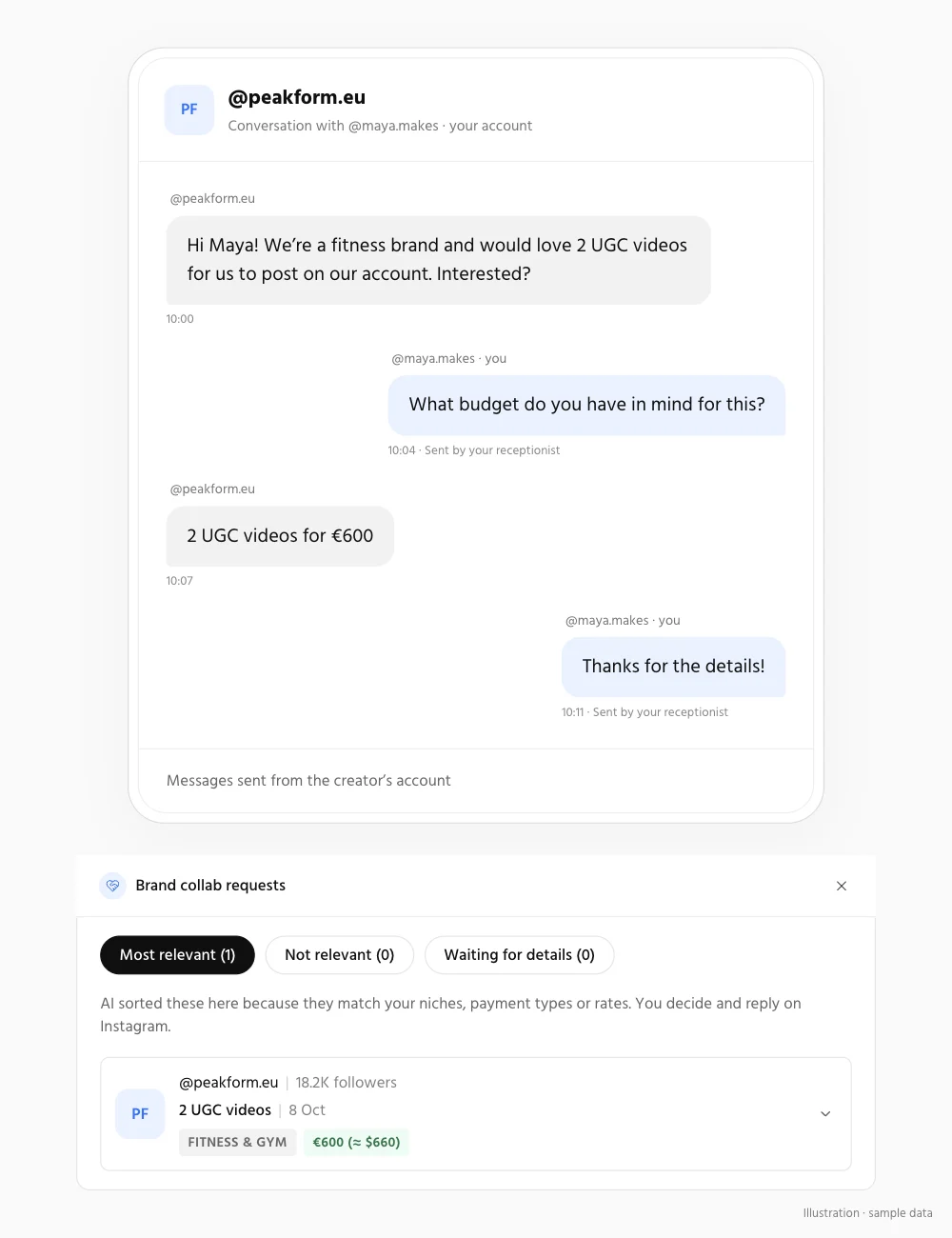
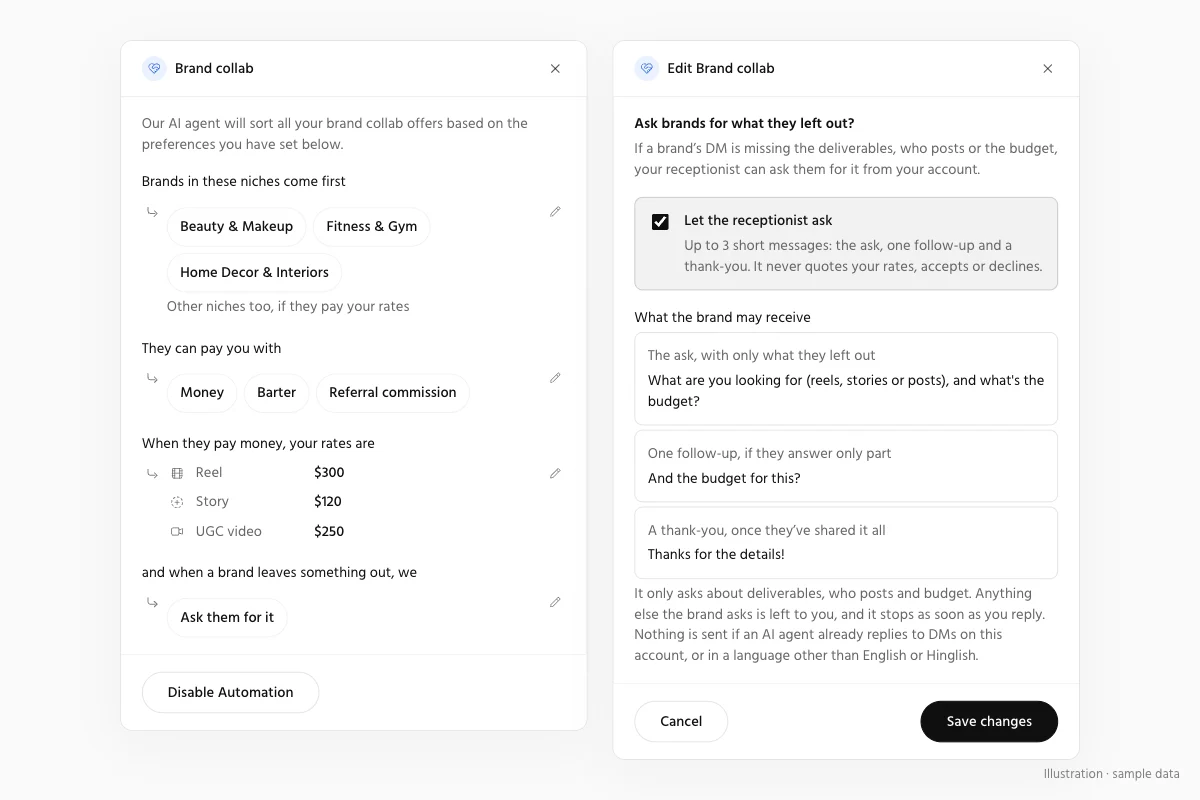
- If a detail is missing, it automatically asks the brand from your account, follows up once only if the brand answers part of it, and thanks the brand once everything is in: at most 3 short messages, never two in a row, sent a few minutes after the brand's message. This is part of Brand Collab with no separate setting: to stop it, switch Brand Collab off. It stops when you reply
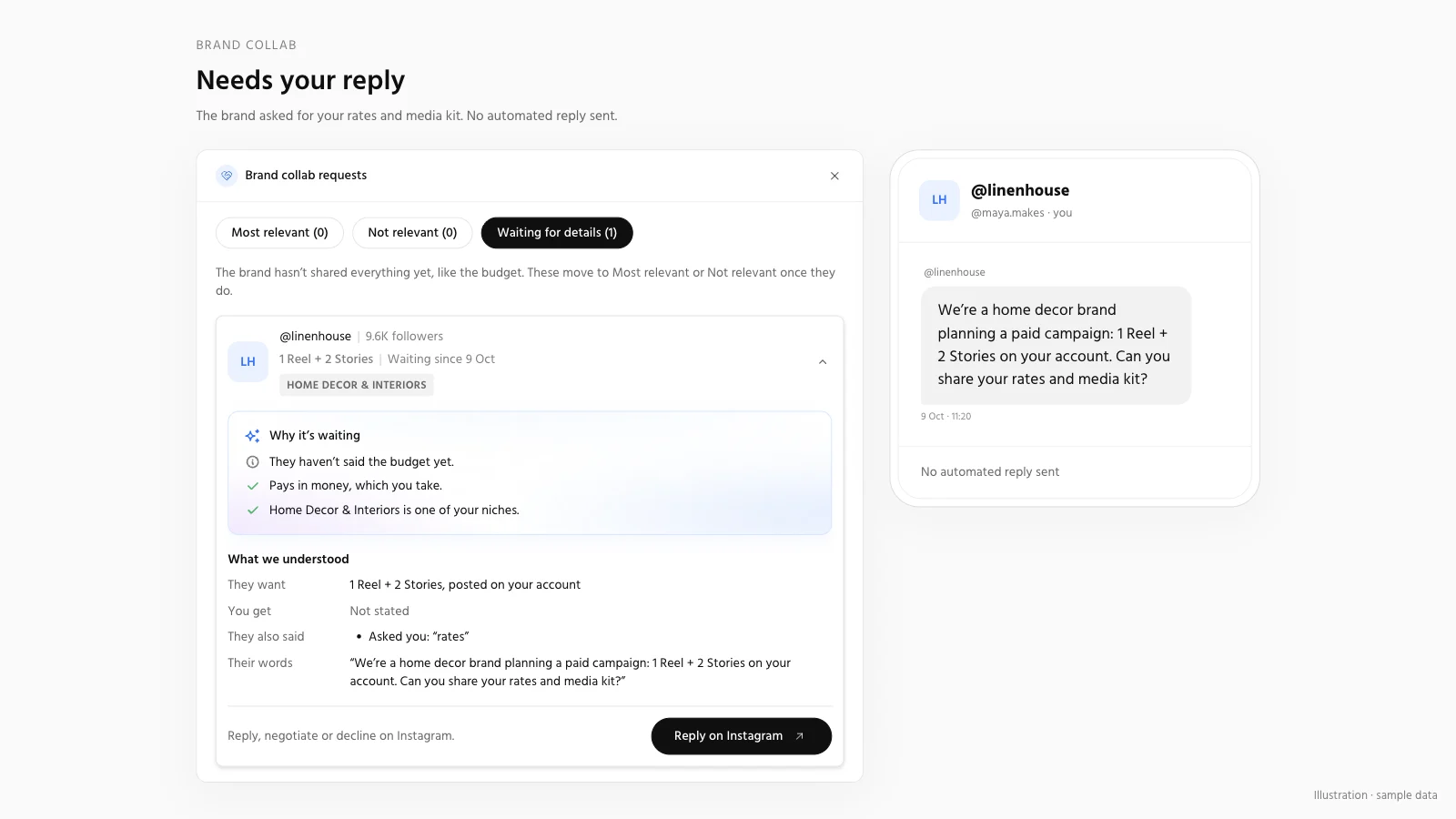
- Stays silent when it isn't sure: if the brand asks about rates, a media kit or a call, makes an agency or programme pitch, writes in another language or looks like a scam, nothing is sent and the question is left for you to answer
- Stops the moment you reply by hand; you always decide and reply yourself
When a detail is missing
If the brand left out the budget or deliverables, Brand Collab asks from your account, follows up once on anything still missing, then moves the request to the right list.
Replying to brands yourself?
Templates for asking for the brief, quoting and declining: How to reply to brand collaboration DMs.
What it leaves to you
- Accepting or declining any deal
- Rates, negotiation, media kits and calls
- Agency or programme pitches, other languages and anything that looks like a scam
How do I turn it on?
- Open Auto-DM with your Instagram professional account connected.
- Go to the Must-haves tab, open Brand Collab and set your niches, the payment types you accept and your rates.
- Review requests in Most relevant, Not relevant and Waiting for details, and reply to the ones you want.
Run it from an AI assistant
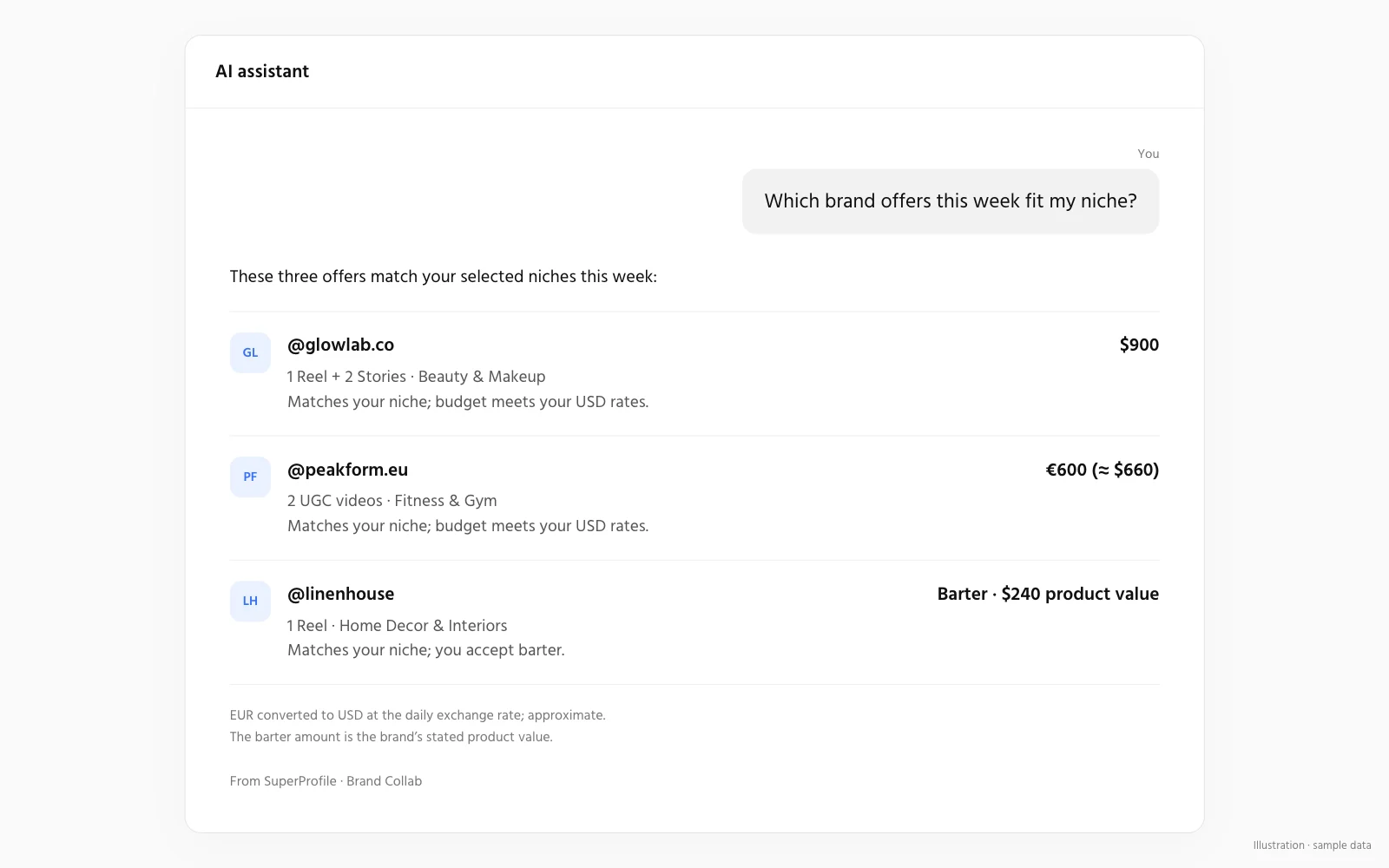
Both comment moderation and Brand Collab are also available to AI assistants through the SuperProfile MCP server. Ask, for example: “Which brand offers this week fit my niche?”
Frequently asked questions
How do I stop missing brand deals in my Instagram DMs?
Turn on Brand Collab: it reads brand collaboration messages for the offer and sorts them into Most relevant, Not relevant and Waiting for details, so paid offers don't get lost in a busy inbox.
Does it reply to brands for me?
Only to collect a missing detail, such as the deliverables or the budget: it automatically asks from your account, follows up once if the brand answers only part of it, and then thanks the brand. It stays silent whenever the brand asks you something. You decide on the deal and reply yourself.
Can I stop it messaging brands?
Yes: switch Brand Collab off. Asking brands for missing details is part of Brand Collab, with no separate setting, and it also stops on a thread the moment you reply by hand.
What does it never handle?
Rates, media kits, calls, agency or programme pitches, other languages and anything that looks like a scam: nothing is sent and the question is left for you to answer.
Does it stop when I reply?
Yes. The moment you reply to the brand by hand, it stops.
Does it work with USD, EUR or GBP rates?
Yes. Rates are set in your account's own currency (INR for creators in India, otherwise your default currency, USD if none is set); an offer in another currency is converted at the daily exchange rate and shown both ways, for example €600 (≈ $660), marked as approximate; if no fresh rate is available the offer is shown in its own currency and not compared.
Which plans include it?
Brand Collab is part of SuperProfile's paid plans, with up to 50 brand requests handled per creator per month; see the SuperProfile pricing page.
More from Auto-DM
Last updated .