
Instagram comment moderation: hide spam, links and abuse automatically
SuperProfile checks every new comment on your Instagram posts and Reels and hides or deletes the ones you don't want: spam and promotion, links, and abuse or harassment. You choose what happens for each, and you can undo any decision.
How to hide spam comments on Instagram
Instagram has built-in controls, and SuperProfile adds rules on top of them. Full walkthrough: how to hide spam, links and abusive comments automatically.
With Instagram's own settings:
- Instagram hides comments with common offensive words, phrases or emojis automatically; the setting is on by default
- Hidden Words lets you add your own list of words, phrases, numbers or emojis to hide from comments
- You can hide any single comment yourself by tapping Hide under it; it stays visible only to you and the person who wrote it
Source: Instagram Help Center.
Automatically, by meaning: word lists only catch what you list in advance. SuperProfile reads each new comment and applies your rule for spam and promotion, links, and abuse: ignore, hide or delete, with one-click undo.
What it does
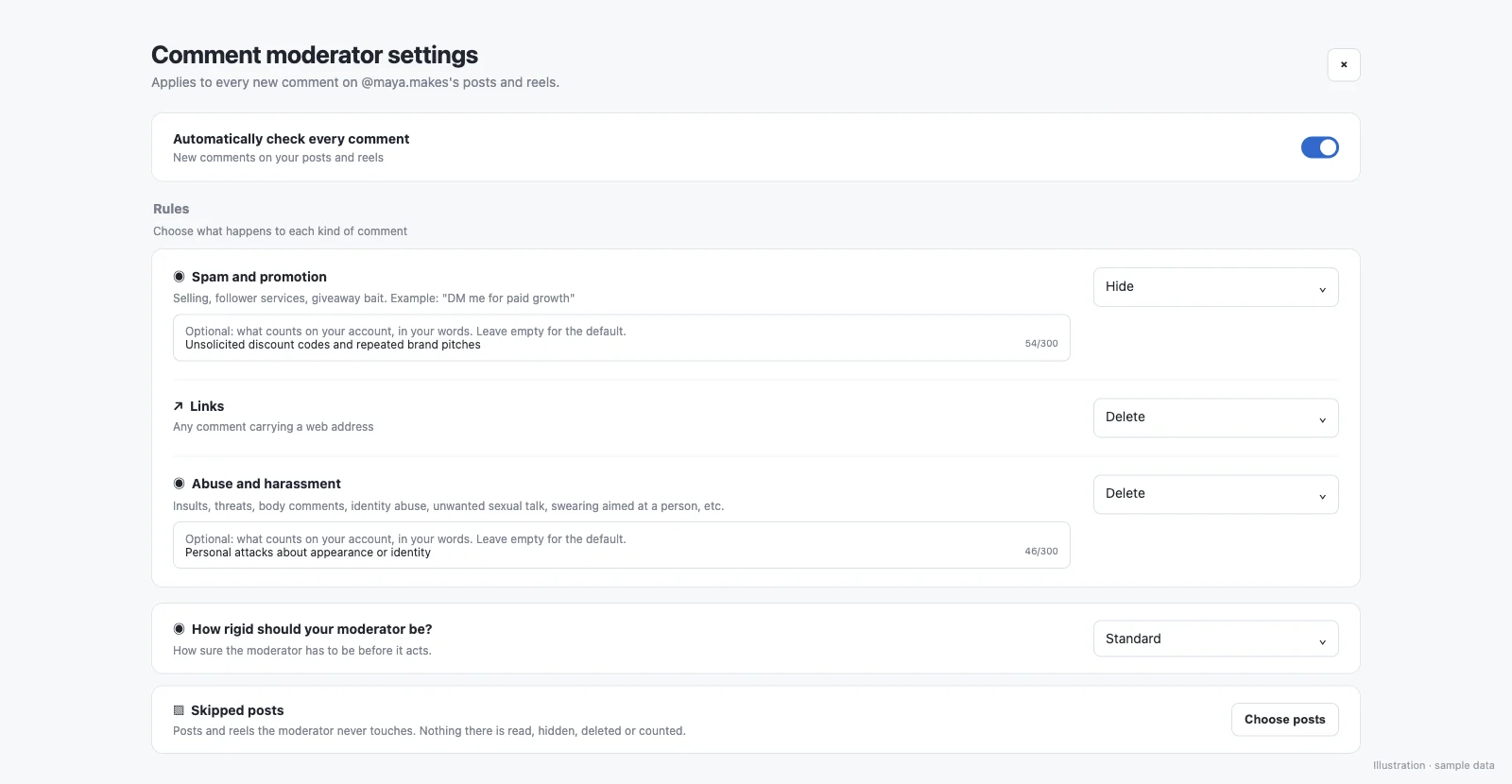
- Three rules: spam and promotion, links, and abuse or harassment
- For each rule you choose Ignore, Hide or Delete
- Optionally describe what counts on your account in your own words (Hinglish works); otherwise default definitions apply
- A strictness setting, and posts you can skip entirely
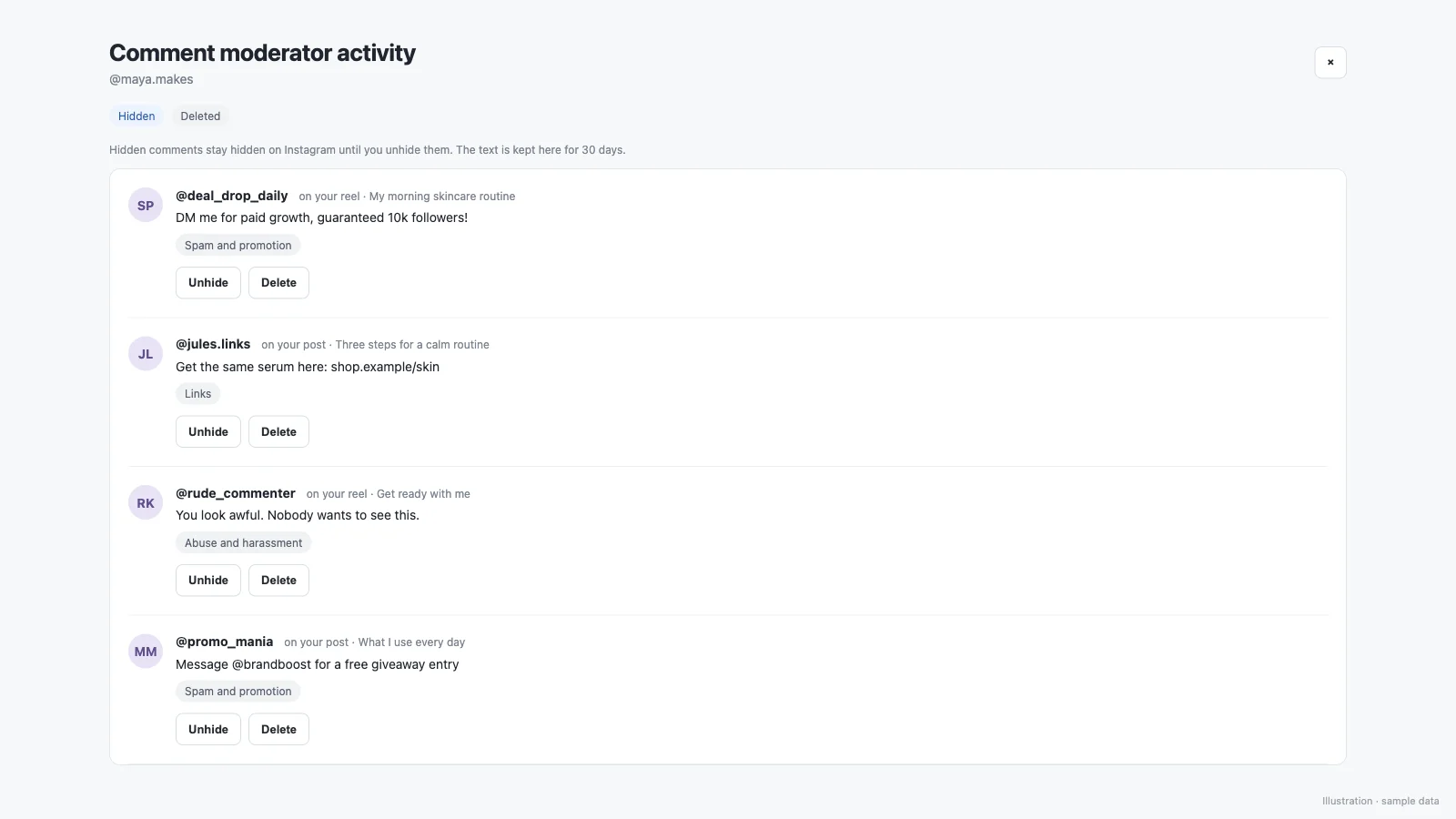
- An activity view with Hidden and Deleted tabs showing which post each comment came from, with one-click unhide or delete, kept for 30 days
- Works on new comments on your Instagram posts and Reels
Hide or delete: which to choose?
| Action | What happens | Good for |
|---|---|---|
| Ignore | Nothing; the comment stays | Rules you don't need on your account |
| Hide | Hidden from your followers; the person who wrote it can still see it | Spam and self-promotion, without starting an argument |
| Delete | Removed from the post | Abuse, harassment and scam links |
How do I turn it on?
- Open Auto-DM in SuperProfile with your Instagram professional account connected.
- Go to the Must-haves tab, open Comment moderation and pick Ignore, Hide or Delete for spam and promotion, links, and abuse.
- Optionally describe what counts on your account, set the strictness and choose posts to skip.
- Check the activity view to see what was hidden or deleted, and undo anything in one click.
Run it from an AI assistant
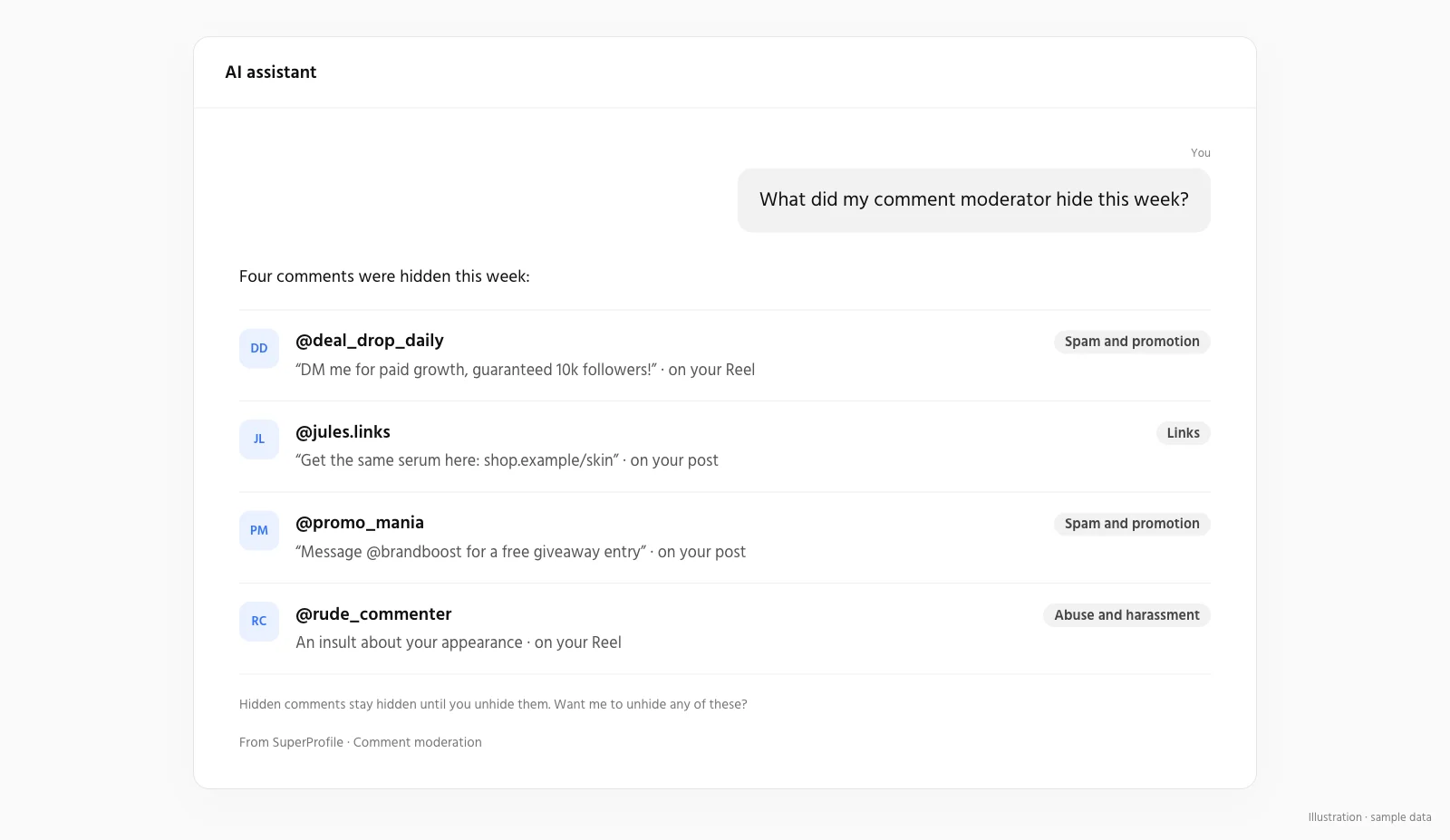
Both comment moderation and Brand Collab are also available to AI assistants through the SuperProfile MCP server. See the Auto-DM MCP server.
Frequently asked questions
Can I hide spam comments on Instagram automatically?
Yes. Turn on comment moderation and choose Hide for the spam and promotion rule: new comments that match are hidden from your posts and Reels as they arrive.
Does it hide or delete comments?
You choose per rule: Ignore, Hide or Delete. Hidden comments stay visible to the person who wrote them; deleted comments are removed.
Can I undo it?
Yes. The activity view lists every hidden and deleted comment with the post it came from, and you can unhide or delete it in one click. Activity is kept for 30 days.
Can I tell it what counts as spam on my account?
Yes. Describe it in your own words, in English or Hinglish, for example the kind of promotion or links you never want. If you leave it empty, default definitions apply.
Can I keep some posts unmoderated?
Yes. Skip any posts you want left alone, and set how strict it is.
Which plans include it?
Comment moderation is part of SuperProfile's paid plans, with up to 1,000 moderated comments per creator per month; see the SuperProfile pricing page.
More from Auto-DM
Last updated .