
Sell digital products and payment pages
Sell ebooks, templates, presets and bundles on a checkout page, delivered automatically after payment. Ebooks, PDFs, templates, presets, guides, design files and bundles, as one product or a catalogue of several, with automatic delivery after payment.
What can I set up with SuperProfile digital products and payment pages?
- Single digital products, multi-product catalogues, or a checkout for an existing product (India)
- Fixed price, or let buyers choose with a minimum and suggested price
- Different prices by country (purchasing power parity)
- Buyers abroad pay in their own currency in 16 currencies while you are paid in rupees (eligible Indian creators)
- Upload the files buyers receive after purchase
- Limit total purchases and purchases per buyer
- Bump offers, discount coupons with expiry, and automated emails
- After purchase: a thank-you note or a redirect
- Registration questions, FAQs, testimonials, About me, benefits and highlights sections
- Meta Pixel and Conversions API, Google Analytics, ChatGPT Ads pixel, and LinkedIn Insight Tag with LinkedIn Conversions API
- GST details on invoices
Which digital products can I sell?
Anything you can deliver as a file: ebooks and PDF notes, Canva, Notion and Excel templates, Lightroom presets and LUTs, printables, design assets, audio packs and bundles of these. Buyers get the file automatically after paying. Not sure what counts? Read what a digital product is, see digital products to sell in India, or learn how to sell Canva templates.
Step-by-step guide
How do payments and payouts work?
In India you sell through SuperProfile's own checkout (UPI, cards and netbanking) after KYC, without your own payment gateway account, and earnings are paid out to your bank account the next day (T+1). Selling needs a paid SuperProfile plan; plans and fees differ by country, so see the SuperProfile pricing page.
How do I start?
- Create a free SuperProfile account and complete KYC to accept payments in India.
- Add digital products and payment pages from your dashboard and fill in the details.
- Preview it, publish it, and share the link in your bio, an Auto-DM or a post.
Can an AI assistant set this up for me?
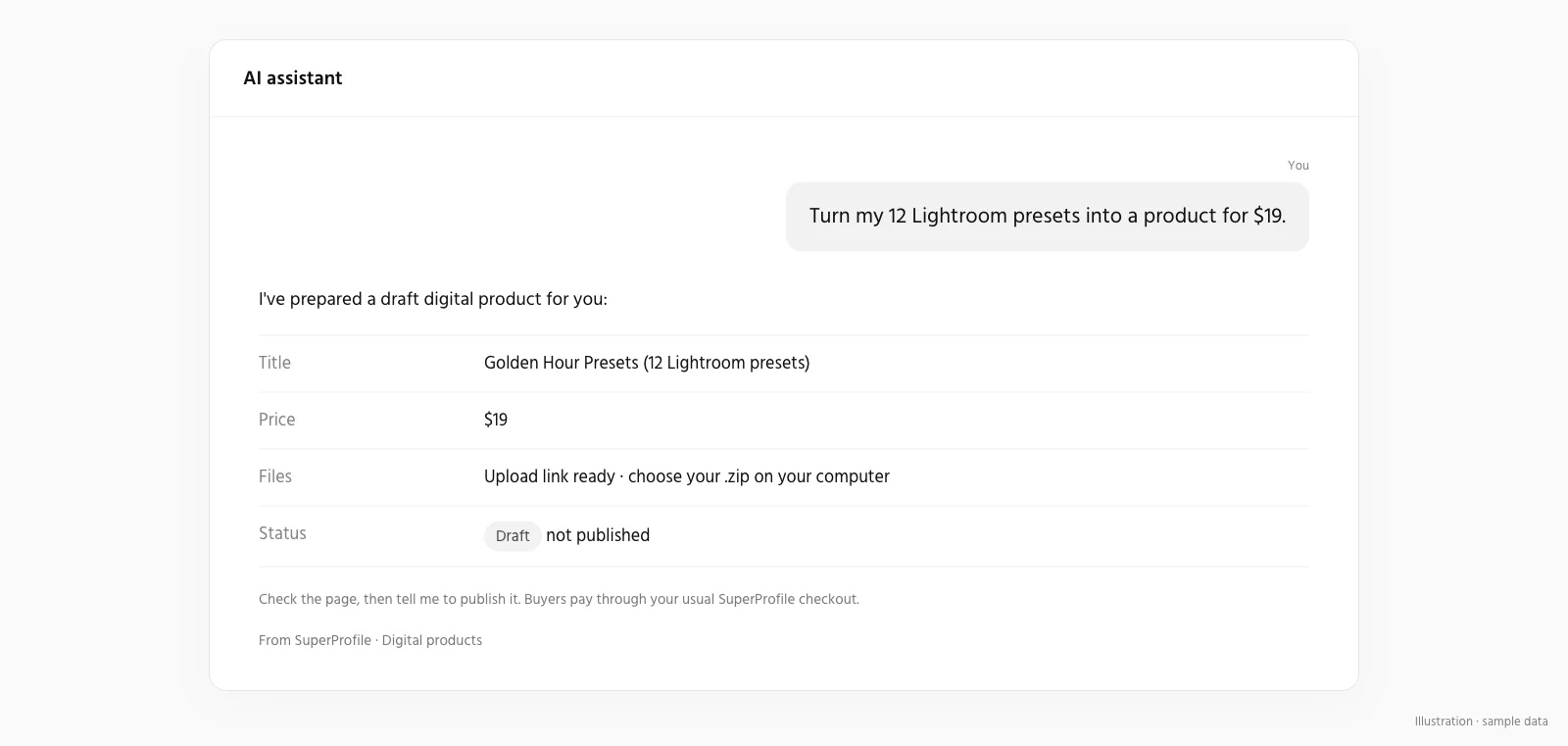
Yes. Connect the SuperProfile MCP server to Claude or ChatGPT and ask, for example: “Create a payment page for my Notion template, upload the file, and show me the draft before publishing.” New products and automations start as drafts you can review first. Edits to something already live apply when saved.
Frequently asked questions
What can I sell?
Ebooks, PDFs, templates, presets, guides, design files and bundles, as one product or a catalogue of several, with automatic delivery after payment.
Is it free to start?
You can create a free account and set things up; selling needs a paid plan. See the SuperProfile pricing page.
Can I share it on Instagram?
Yes. Put the link in your bio, or use Auto-DM to send it to people who comment a keyword.
Other SuperProfile products
Last updated .